


FlashZilla Pro | TuneZilla
FlashZilla Pro | TuneZilla
TZ-FLASHER-PRO
Ships in 2-3 Business Days
Regular price
$139.99
Sale price
$139.99
Regular price
Unit price
per
- Fully secure checkout
- Trusted
- Rated and reviewed


Overview
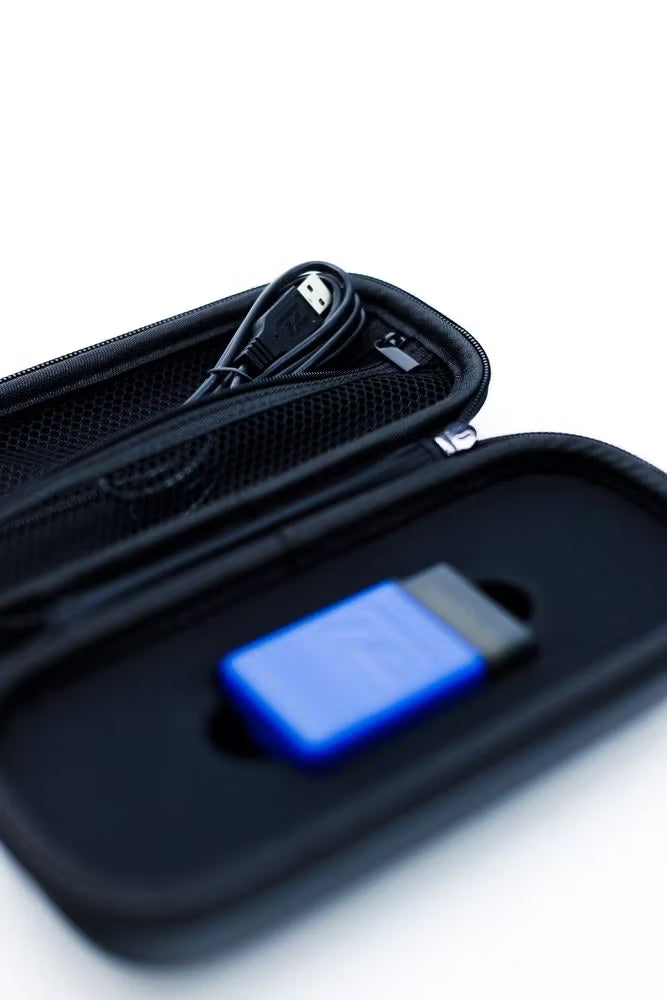
The TuneZilla FlashZilla Pro puts professional ECU and TCU flashing capability in your hands, allowing you to install, update, or switch between TuneZilla calibrations from virtually anywhere with an internet connection. Designed for convenience and flexibility, FlashZilla Pro connects directly to your vehicle's OBD-II port and interfaces with the TuneZilla Portal App on a Windows 10 or Windows 11 computer.
Whether you're flashing your vehicle for the first time, updating to a newer calibration, or switching between available fuel octanes and performance files, FlashZilla Pro streamlines the entire process with an intuitive, step-by-step workflow. Once your vehicle is identified, the software automatically displays all compatible TuneZilla calibrations available for your ECU and TCU, making it easy to find the right file for your setup.
Note: USB-C to USB-C cables are not supported. Please use the included USB-A to USB-C cable or another compatible USB-A to USB-C cable.
Details
Flash Your Vehicle Anywhere
The FlashZilla Pro gives you the freedom to flash your ECU or TCU from home, your garage, or on the road—without visiting a tuning dealer. Simply connect the device to your vehicle and a Windows PC running the TuneZilla Portal App to access your available calibrations.
Key Features
- Direct access to the TuneZilla InstaTune library
- Read and flash compatible ECU and TCU calibrations
- Purchase and download tune files directly through the TuneZilla Portal
- Request support tickets and custom tuning within the application
- Manage and organize your personal tune library
- Easily switch between available octane and performance files
- One FlashZilla Pro device can be used on multiple supported vehicles (not VIN locked)
Tune Library Management
Once your ECU or TCU has been identified, the TuneZilla Portal automatically displays all compatible calibrations available for your vehicle. Download and organize multiple tune files—including different fuel octanes, boost levels, or performance configurations—and quickly flash the file that best matches your driving conditions.
Requirements
- Windows 10 or Windows 11 computer
- Active internet connection for initial downloads, purchases, and tune management
- Compatible USB-A to USB-C cable (USB-C to USB-C is not supported)
Notes
-
Estimated Shipping
- United States & Canada: 3–5 Business Days
- International: 3–14 Business Days
- Vehicles should be returned to factory ECU and TCU software before using FlashZilla Pro for the first time.
- The TuneZilla Portal App is currently supported on Windows 10 and Windows 11 only.
- Previously downloaded tune files can be flashed offline, allowing you to reflash your vehicle without an internet connection.